Fewer Fires Live Workshop
Stop getting pinged all day with questions that could wait.
By the end of this workshop, you’ll know exactly what your team should ask you in real time and what can wait, where all the non-urgent items should live so they don’t fall through the cracks, and how to train your team to ask better questions, so you can stick to making decisions instead of doing half the admin work.
Tuesday, November 17 at 6:30pm ET.
$47 · Lifetime Access to the replay · FREE Team Rollout Kit
🔥
Tired of your phone going off all day with questions your team could have saved for later?
🔥
Still answering texts at 11 at night, then lying awake wondering what you forgot to get back to someone on?
🔥
Can't wrap your arms around your business, because everything waiting on you is scattered across texts, emails, calls & CRM?
Inside Fewer Fires I'll show you:
✅ What counts as urgent and what your team should hold for later
✅ Where every non-urgent question goes, so nothing falls through the cracks and you can see everything waiting on you in one place
✅ The five pieces every question needs, so “Job 123 is ready for invoice” turns into “Invoice is drafted and linked. Okay to send?”
✅ How your team sends it all to you once a day, and how to answer from the truck with a comment, an email reply, or a voice note
✅ Where to dump everything that pops into your head (order winter shirts, register for that networking event), so your team handles the details
✅ How to roll it out to your team the next morning, and the five words to text back when someone sends you something that could wait
✅ PLUS the exact template I use with every client, customized for your business before the workshop is over
$47 · Lifetime Access to the replay
FREE GIFT
The Team Rollout Kit
Everything you need to train your team on this exact method the next morning: a rollout script for introducing it, a cheat sheet for determining what’s urgent and what can wait, and a step-by-step guide for asking you questions in a way that leaves you only making the decisions.
Pulled straight from the training I use to set this up with clients. Included free with your ticket.
Fewer Fires
Give me $47 and one evening, and you’ll walk away knowing what your team should call you about, where everything else goes, and how they should ask questions, so you can get through your day without putting out fires that could have waited.
Live on Tuesday, November 17 · Lifetime access
📅
tues november 17th
⏰
6:30pm et, live
🎥
lifetime replay access
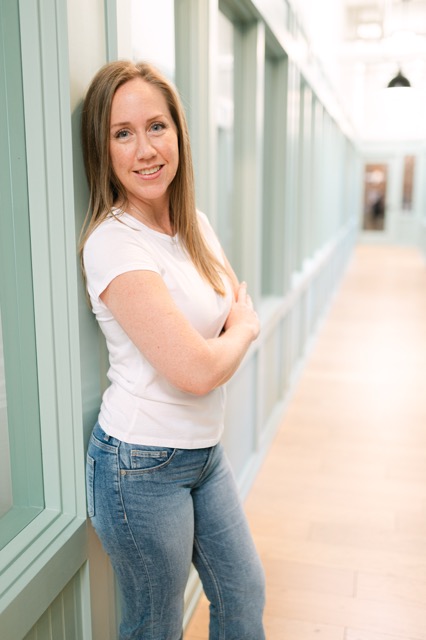
Hey. I'm Crystal.
I've spent 18 years in small business operations. Before I started Operate Simple, I was Director of Operations for a facilities management company in New York, with six departments under me.
Our in-office and remote teams were calling each other all day long. So I built a living plan for the day that everyone could see. Over the years it got simpler, and it became what I call the Open Items Doc.
When I started working with overwhelmed business owners, I thought they needed more admin help. What they needed was structure. And this doc is always the first piece I set up.
I've been building it with clients for more than seven years. Clients I set this up with five and six years ago still use it every single day.
It's built in Google, you can set it up in about half an hour, and it gives you a handle on everything that's waiting on you.
I can't wait to build it with you live.
Common Questions
Will this work for my type of business?
It's built for service, trades, and home service businesses where the owner is on job sites, with customers, or bidding work while the office keeps running. I've set it up for remote teams, in-office teams, and owners who are in the field all day.
I don't have a team yet. Should I come?
Yes. Build it now so it's ready the day you hire. It's also what makes part-time or remote help possible. Someone working 12 to 15 hours a week can run off this doc without needing you to answer in real time.
Why can't my team just send me an email or leave a note in our software?
Because then you're checking five platforms, sorting out what's urgent, and figuring out what to answer, usually at the end of a long day when you don't have the bandwidth. One doc puts every question that's waiting on you in one place, so you can see everything outstanding at once and answer it fast.
My whole team works in one office. Do we need this?
In-person offices need it the most. Walking over to someone's desk interrupts them the same way a text does.
Do my field techs need to use it?
No. It's for your office team, you, and anyone who answers their questions, like an estimator or project manager. Your techs keep working the way they do now.
I'm already too busy. Will I have time for this?
You'll set it up during the workshop. After that it takes about ten minutes a day to answer. Your day might end a little later, but the whole day before that gets more productive, because you stop answering on the spot in the middle of ten other things.
Where do I find everything after I buy?
Right after checkout you'll get a login to your client portal. The live session, the template, your Rollout Kit, and later the replay all live there, and you keep access for life.
Do I need any special software?
A Google account. That's it. You'll copy the template into your own Google Drive during the workshop.
What if I can't make it live?
The replay goes into your client portal right after, and it’s yours for life. But come live if you can. You can ask questions about your own business, and you’ll leave with your template customized and ready to go.
Fewer Fires
Stop getting pinged all day with questions that could wait.
$47 · Tuesday, November 17 at 6:30pm ET · Lifetime access